
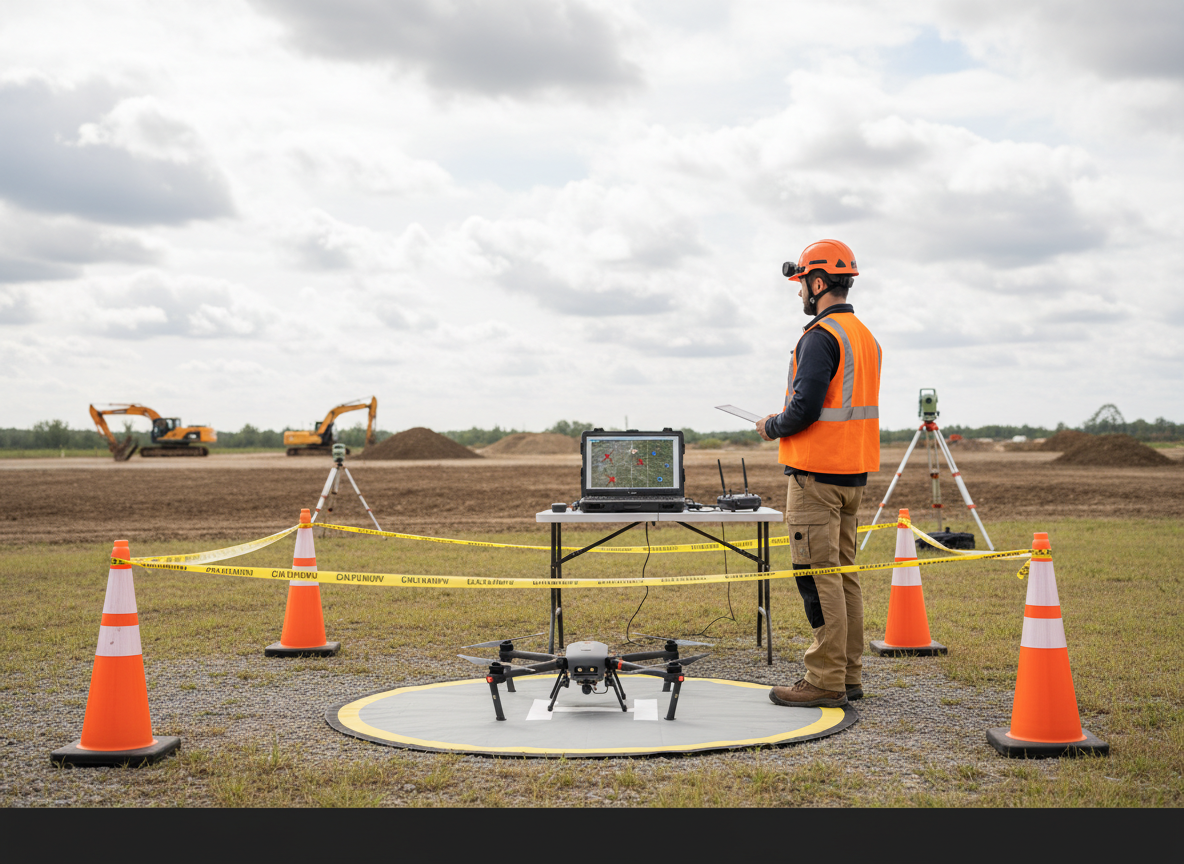
The practical takeaway: a useful photogrammetry deliverable starts with the client’s decision, not the flight app. Define what must be visible or measured, plan enough overlap and ground detail, capture consistent sharp images, process them in a documented coordinate system, and validate the output before delivery. A colorful orthomosaic is not automatically an accurate map. Treat flight, processing and quality control as one connected workflow.
What drone photogrammetry produces
Photogrammetry uses overlapping photographs of the same features from different viewpoints to estimate their three-dimensional positions. Processing software matches common points among images, estimates camera positions and builds a point cloud. From that foundation it can produce an orthomosaic, a surface model, a textured 3D mesh, contours or volume calculations.
Those products are not interchangeable. An orthomosaic is a geometrically corrected image intended to provide a map-like view. A digital surface model represents visible surfaces such as roofs, trees and stockpiles. A terrain model attempts to represent bare earth, which may require classification or another sensing method where vegetation hides the ground. A mesh is useful for visual context but is not automatically the best source for dimensions.
If the client needs a simple visual record, the workflow can remain relatively light. If the client expects quantities, boundaries, engineering decisions or survey-grade coordinates, the project needs explicit accuracy requirements, qualified personnel and stronger control. The site’s LiDAR-versus-photogrammetry guide explains when imagery may not be the right sensor.
1. Define the decision before choosing settings
Ask what the client will do with the result. “Map the site” is too vague. A construction manager may want a current visual record, an estimator may want approximate stockpile volumes, and a licensed surveyor may need data integrated with established control. Each purpose changes the capture plan, coordinate reference system, validation method and deliverable.
- Define the area, features and date of interest.
- List the required outputs and file formats.
- Agree on units, horizontal and vertical datums, and coordinate system.
- State the required accuracy and how it will be tested.
- Identify exclusions: vegetation, reflective surfaces, moving equipment or inaccessible ground.
Do not promise “survey grade” as a marketing phrase. Positional accuracy is a testable property of a specific dataset. When legal boundaries, design, certified quantities or public records are involved, confirm applicable state surveying laws and the role of a licensed professional before accepting the scope.
2. Separate legal planning from mapping planning
A perfect grid does not make an unsafe or unauthorized operation acceptable. The remote pilot in command remains responsible for the flight. Current 14 CFR Part 107 requires a preflight assessment of weather, airspace, people, property and ground hazards; it also addresses aircraft condition, visual line of sight, operations over people and operating limitations.
Review airspace authorization, temporary restrictions, site permission, crew roles, traffic, cranes, wires, takeoff and emergency areas before designing the route. Large sites may need smaller flight blocks so the aircraft remains visible and battery changes occur at sensible points. A visual observer can help, but does not transfer the RPIC’s authority or remove the visual-line-of-sight requirement. See the site’s visual-observer field guide for crew coordination.
3. Choose ground detail, altitude and overlap together
Ground sampling distance, often shortened to GSD, describes the ground area represented by one image pixel. Flying lower generally produces smaller GSD and more visible detail, but also requires more images, more flight time and more processing. Camera sensor, focal length and image dimensions also matter, so altitude alone does not determine GSD.
Overlap gives the software multiple views of the same features. A common starting estimate for a simple nadir grid is roughly 75–80% forward overlap and 65–75% side overlap, but those are planning estimates—not universal quality guarantees. Uniform pavement, water, dense vegetation, steep slopes, tall structures and repeated patterns may require more overlap, crosshatch flights or oblique imagery.
Do not solve every problem by adding images. Excessive capture can increase blur, storage and processing time without correcting weak geometry. Build the route around the subject: nadir imagery for broad surfaces, obliques for façades and vertical features, and consistent cross-strips where stronger geometry is needed.
4. Decide how the project will be positioned
Standard onboard GNSS may be adequate for a visual product, but it should not be assumed to satisfy a defined mapping tolerance. RTK or PPK can improve camera-position information when correctly configured, yet neither eliminates the need for independent checks. Ground control points tie processing to surveyed coordinates; checkpoints are withheld from adjustment and used to test the result.
Distribute control around the perimeter and across the interior, considering elevation changes rather than clustering markers near the launch point. Make targets large enough to appear clearly in the planned imagery, place them on stable surfaces and document their identifiers. If the project uses no ground control, say so and state what positioning method was used.
5. Capture consistent, sharp images
Photogrammetry depends on image quality. Inspect the lens, focus, exposure, storage and time settings before launch. Use a shutter speed appropriate for aircraft motion and wind, and avoid automatic settings that allow major exposure or white-balance changes across the project. The site’s mechanical-versus-electronic shutter guide explains why motion and readout behavior matter.
Fly when shadows, glare and wind suit the surface. Water and reflective roofs can produce unstable matches; moving vehicles, people and vegetation can create artifacts. Pause if lighting changes sharply or the aircraft cannot hold a consistent route. After each battery, review several full-resolution images for sharpness, exposure and coverage instead of trusting thumbnails.
6. Protect the raw data and document the project
Copy the original photographs before renaming or processing them, then preserve a read-only master. Use a folder structure that separates raw imagery, control data, processing projects, exports and reports. Record aircraft and camera, firmware, flight blocks, weather, altitude, planned overlap, positioning method, coordinate system and any interruptions.
A practical naming pattern might use client, site, capture date, flight block and image sequence. The exact format matters less than consistency. Retain enough information to connect every deliverable to the source flight and processing version.
7. Process deliberately instead of accepting defaults
Most software follows a recognizable sequence: align images, inspect camera positions and tie points, add control, optimize, build dense data or depth maps, generate surfaces, and export the required products. Names vary by platform, but the quality questions remain the same.
- Are all flight blocks aligned in the correct place?
- Do camera positions show gaps, bends or isolated images?
- Were control coordinates imported in the correct units and reference system?
- Are residuals concentrated around one target or direction?
- Do the surface and orthomosaic show holes, double edges or warped structures?
Remove obvious bad images cautiously and keep a record of material changes. A low reported processing error does not prove real-world accuracy if the inputs, coordinate system or validation design are wrong.
8. Validate with independent evidence
Quality control should answer two different questions: does the dataset look internally consistent, and does it agree with independent real-world positions? Review image coverage, reconstruction artifacts and seams, then compare checkpoints or other suitable reference data. Report horizontal and vertical results separately because they often differ.
The American Society for Photogrammetry and Remote Sensing publishes positional-accuracy standards for digital geospatial data. Applying a formal standard requires understanding its sampling, testing and reporting requirements; merely mentioning the standard does not certify a dataset.
9. Deliver files the client can actually use
A polished delivery package pairs the map files with context. Include a short methods and limitations note covering capture date, coordinate system, equipment, positioning method, processing software and version, validation approach, known gaps and appropriate uses. Large orthomosaics may be delivered as GeoTIFFs; web previews or PDFs help clients who lack GIS software. Point clouds, meshes and CAD exports should be included only when the scope calls for them.
Make the distinction between observation and conclusion explicit. A surface model can show geometry; it does not by itself prove ownership, code compliance, construction completion or cause. For recurring documentation, coordinate the mapping product with the consistent-viewpoint approach in the construction progress workflow.
A field-to-delivery checklist
- Define the client decision, output, tolerance and coordinate system.
- Confirm airspace, site access, weather, people, hazards and crew roles.
- Select the camera, GSD, altitude, overlap and flight geometry.
- Plan control and independent checkpoints appropriate to the scope.
- Inspect the aircraft, lens, focus, storage, power and control link.
- Capture the planned blocks and review full-resolution images in the field.
- Back up raw imagery and preserve project notes.
- Process with documented settings and inspect alignment and artifacts.
- Test against independent evidence and report results honestly.
- Deliver usable files, methods, limitations and a clear archive.
The standard is a repeatable method
Good photogrammetry is not the product of one magic overlap setting or software button. It comes from connecting the client’s question to flight geometry, image quality, positioning, processing and validation. Start with a modest deliverable you can defend, document every assumption and increase complexity only when the project has a clear reason—and the team has the expertise—to do so.
Disclosure: This article is educational and does not provide legal, surveying or engineering advice. It contains no affiliate links, product endorsements or claims of firsthand testing.